Growing an audience today requires more than simply sharing links. Creators must guide users toward meaningful actions that build long-term value. Sub4Unlock helps you do exactly that by turning simple clicks into real engagement. Instead of giving content away for free, you can require users to complete specific actions before accessing it.
As a result, Sub4Unlock becomes an effective growth and monetization tool. Whether you offer exclusive downloads, private links, or bonus content, a Sub4Unlock link ensures every visitor contributes to your social growth. In this step-by-step guide, you will learn how to create, customize, and optimize a Sub4Unlock link from start to finish.
What is a Sub4Unlock link?
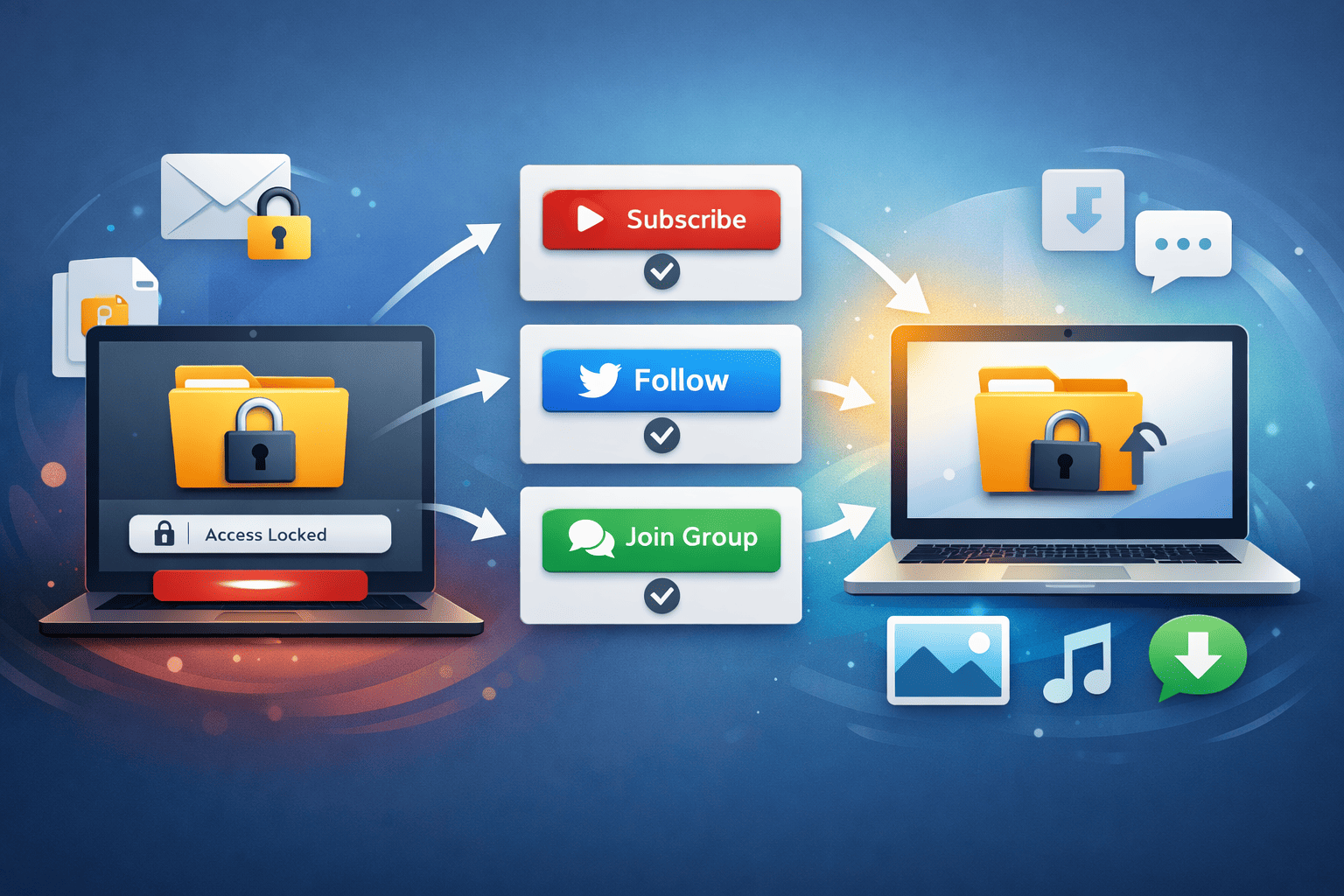
A Sub4Unlock link is a smart content-gating system that locks a URL, file, or message behind required actions. These actions often include subscribing to a YouTube channel, following a social media account, or joining a messaging group. Once users complete the required steps, the system automatically unlocks the content.
More importantly, Sub4Unlock creates a fair value exchange between creators and users. Instead of forcing ads or payments, you reward engagement with access. This approach increases trust, improves conversion rates, and helps creators grow real audiences across multiple platforms.
Step-by-Step Sub4Unlock Link
Sub4Unlock helps creators turn traffic into measurable growth. Instead of letting users access content and leave, you guide them to take meaningful actions that support your brand. By requiring subscriptions, follows, or group joins, you increase engagement across multiple platforms at the same time.
In addition, Sub4Unlock gives you more control over how your content spreads. You decide which actions matter most, track performance through analytics, and protect your links from abuse. As a result, you don’t just gain numbers — you build a stronger, more engaged audience with clear growth insights.
Step 1 — Start a new unlock link
- Click Create Link (or similar).
- Choose the type of locked content: file download, URL, text, or coupon.
- Give the link a clear title and short description so users know what they get after unlocking.
For example: “Exclusive 10% Discount — Subscribe to unlock.”
Step 2 — Configure required actions
- Select which actions users must complete to unlock the link. Common actions include:
- Subscribe on YouTube
- Follow on Instagram or TikTok
- Join a Telegram or WhatsApp group
- Like a video or follow a page
- Set the required number of actions (e.g., subscribe + follow).
- Optionally require verification steps or set a minimum time before unlocking.
Note: Combine actions thoughtfully — too many requirements may frustrate users, while too few may reduce conversion quality.
Step 3 — Customize appearance and messaging
- Write clear call-to-action (CTA) text that explains the reward: “Complete the actions to view the download link.”
- Add a friendly progress indicator so users see how close they are to unlocking.
Moreover, use concise, benefit-focused language to increase conversions.
Step 4 — Add tracking & security
- Enable analytics to track clicks, completions, and conversion rates.
- Add UTM parameters if you plan to share the link across campaigns.
- Turn on anti-bypass features (if available) to stop users from skipping required actions.
- Protect downloads with expiration dates or limited-use tokens.
Consequently, you’ll gather useful data and reduce fraud.
Step 5 — Test the link
- Open the link in an incognito window or use a test account to verify each action works.
- Confirm the unlock triggers when actions are completed.
- Make sure the final content or download is accessible and safe.
Testing prevents broken links and improves user trust.
Step 6 — Share your Sub4Unlock link
- Share on social media bios (Instagram, TikTok), in posts, or in emails.
- Use short descriptions and a clear CTA: “Subscribe to unlock exclusive tips.”
- Consider A/B testing different headlines or images to see which drives the most conversions.
Also, avoid spammy messaging — focus on value.
Step 7 — Monitor, analyze, and optimize
- Check analytics regularly: views, actions completed, conversion rate, and device breakdown.
- If conversions are low, try reducing the number of required actions or improving the CTA.
- If you notice bypass attempts, increase security or change the link behavior.
Iterate frequently to improve performance over time.
Best Practices Sub4Unlock Link
To get the best results from Sub4Unlock, always offer content that feels valuable and relevant. Users are more willing to complete actions when the reward clearly solves a problem or delivers exclusive benefits. Therefore, explain the value upfront and use clear, benefit-driven language in your call to action.
At the same time, keep the unlocking process simple and transparent. Limit the number of required actions to reduce friction, and clearly state what users must do and what they will receive. Additionally, test your links regularly and review analytics to improve performance over time. By optimizing both user experience and security, you create unlock links that convert consistently and sustainably.
Troubleshooting Common Issues
If users report that a link does not unlock, start by testing it in a private or incognito browser. This step helps you confirm whether the required actions trigger correctly. Next, check each connected platform to ensure the subscription or follow verification works as expected. In many cases, small configuration errors cause unlock failures.
Meanwhile, low conversion rates often indicate friction or unclear messaging. Simplify the required actions, improve the call-to-action text, or increase the perceived value of the locked content. If you detect bypass attempts, enable stronger verification settings or limit link usage. By addressing these issues early, you maintain trust and keep your Sub4Unlock links performing reliably.
Creating a Sub4Unlock link can rapidly grow your audience and boost engagement, but it requires clear messaging, sensible action requirements, and continuous optimization. By following this step-by-step guide — from account setup to testing, sharing, and analyzing — you’ll create effective, user-friendly links that convert.
Frequently Asked Questions (FAQ)
1. How does Sub4Unlock work?
Sub4Unlock works by locking a link or content behind required actions such as subscribing, following, or joining a group. Once users complete all required actions, the system automatically unlocks the link and grants access to the content.
2. Is there a limit to generating links?
No, there is no limit to link generation. You can create as many Sub4Unlock links as you need without any restrictions. This allows creators to manage multiple campaigns and content types easily.
3. What if you forget or lose your shortened link?
If you are a registered user, you don’t need to worry about losing your shortened links. You can log in to your dashboard at any time to view, manage, and recover all links associated with your account.
4. Does Sub4Unlock follow community rules?
Yes, Sub4Unlock follows platform and community guidelines. Users must comply with social media rules and content policies when creating unlock links to ensure safe and fair usage for everyone.
5. What happens if users use adult-type links?
Adult-type links are not allowed on Sub4Unlock. If such links are detected, they will be blocked, and the associated channel or content will be removed from the system to maintain a safe platform.